
Advantage 360 SmartSet App (Windows v1.0.4)

Programming GUI version 1.0.4 for the all-new Advantage360 with the SmartSet Engine for Windows. Download now.

Added to v1.0.4

  • Bug fixed to allow support for macro trigger proxy keys (e.g., F13 etc)

Added to v1.0.3

  • Macro trigger bug fixed
  • Semi-Colon token fixed
  • Macro capacity increased to 100
  • Improved access to tap-and-hold actions
  • Macros supported in tap-and-hold (requires firmware upgrade to 1.0.69+)

Added to v1.0.2

  • Support added for foot pedal programming

Advantage360 SmartSet Firmware V1.0.71 (1-30-24)

January 30, 2024 Release Notes (version 1.0.71)

Changes made to version 1.0.69

  • Fixes macro bug for a remapped macro co-trigger during layer shifting

March 10, 2023 Release Notes (version 1.0.69)

Changes made to version 1.0.51

  • Fixes bug where by tap-and-hold actions disabled macros
  • Macros can now be triggered within a tap-and-hold action
  • Improves responsiveness of mouse movement tokens to the limits of Windows OS
  • Macro limit increased from 24 to 100 per Profile

Sept 7, 2022 Release Notes (version 1.0.51)

Changes made to version 1.0.9

  • Adds support for using the left module on a stand-alone basis when the AUXILIARY foot pedal port is connected to a PC (Note: linking to right side is not supported in this mode).

Aug 23, 2022 Release Notes (version 1.0.9)

Changes made to version 1.0.5

  • Disabled non-functional Status Report Speed Adjustment Shortcut
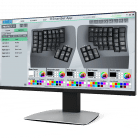
 

Adv360 Pro Factory Default Branch 3.0 (v1-16-24) Commit ddcdb88

Major firmware update designed to improve connectivity between keyboard and PC, and the left and right modules. Performing a Settings Reset should not be required. Re-pairing with your host PCs may be necessary. If you are upgrading from a version of firmware more than ~3 months old you may need to power cycle the keyboard 2-3 times to restore it to full functionality.

Commit ddcdb88 January 16,  2024

More information here: https://github.com/KinesisCorporation/Adv360-Pro-ZMK/blob/V3.0/CHANGELOG.md

Adv360 Pro Beta Firmware (v1-6-24) Commit 730e481

Experimental firmware for Advantage360 Pro with various fixes and enhancement to Bluetooth designed to improve the stability of the pairing (Keyboard to PC) and syncing (left to right module) connections. Please send impressions and feedback directly to tech@kinesis.com and/or post an issue on GitHub.

Adv360 Pro PC Mode Branch 3.0 (v1-22-24)

Pre-Programmed layout with historical PC Modifiers on top 4 thumb keys.

  1. Download the files
  2. Flash to each module
  3. Swap out your keycaps

Left Module: Ctrl &  Alt

Right Module: Alt & Ctrl

Adv360 Pro Mac Mode Branch 3.0 (v1-22-24)

Pre-Programmed layout with historical Mac Modifiers on top 4 thumb keys.

  1. Download the files
  2. Flash to each module
  3. Swap out your keycaps

Left Module: Command &  Option

Right Module: Control & Command

Adv360 Pro Settings Reset Branch 3.0 (Direct Advertising Sync Erase)

If you are having trouble with your keyboard you can perform a “Settings Reset” to return the keyboard to its native state, and then install a fresh copy of firmware. Each MAJOR version of firmware has its own Settings Reset file that should be used.

Use this file to reset  the Sync Connection between Left and Right modules on  your Advantage360 Pro keyboard Running firmware from 10-23-23 or later 

Adv360 Pro Settings Reset Branch 1.0

If you are having trouble with your keyboard you can perform a “Settings Reset” to return the keyboard to its native state, and then install a fresh copy of firmware. A Each MAJOR version of firmware has its own Settings Reset file that should be used.

Use this file to reset  your Advantage360 Pro keyboard WHEN INSTALLING A 1.0 BRANCH OR UPGRADING BRANCHES 

Adv360 Pro V3.0 Test Commit 9a963ab (8-5-23)

If you are having trouble Bluetooth connectivity, trying installing the firmware below which incorporates an upstream ZMK fix from commit 9a963ab and please report back to us via GitHub with your results. Please perform a Settings Reset on both modules with the appropriate file above.

Adv360 Pro Settings Reset Branch 3.0

If you are having trouble with your keyboard you can perform a “Settings Reset” to return the keyboard to its native state, and then install a fresh copy of firmware. Each MAJOR version of firmware has its own Settings Reset file that should be used.

Use this file to reset  your Advantage360 Pro keyboard BEFORE INSTALLING A 3.0 BRANCH 

Adv360 Pro Settings Reset Branch 2.0

If you are having trouble with your keyboard you can perform a “Settings Reset” to return the keyboard to its native state, and then install a fresh copy of firmware. A Each MAJOR version of firmware has its own Settings Reset file that should be used.

Use this file to reset  your Advantage360 Pro keyboard BEFORE INSTALLING A 2.0 BRANCH 

Advantage 360 SmartSet App (Windows v1.0.3)

Programming GUI version 1.0.3 for the all-new Advantage360 with the SmartSet Engine for Windows. Download now.

Added to v1.0.3

  • Macro trigger bug fixed
  • Semi-Colon token fixed
  • Macro capacity increased to 100
  • Improved access to tap-and-hold actions
  • Macros supported in tap-and-hold (requires firmware upgrade to 1.0.69+)

Added to v1.0.2

  • Footpedal support added to 1.0

Advantage 360 SmartSet App (macOS v1.0.3)

Programming GUI version 1.0.3 for the all-new Advantage360 with the SmartSet Engine for macOS. Download now.

Added to v1.0.3

  • Macro trigger bug fixed
  • Semi-Colon token fixed
  • Macro capacity increased to 100
  • Improved access to tap-and-hold actions
  • Macros supported in tap-and-hold (requires firmware upgrade to 1.0.69+)

Added to v1.0.2

  • Footpedal support added to 1.0

Advantage360 SmartSet Firmware V1.0.69 (6-5-23)

March 10, 2023 Release Notes (version 1.0.69)

Changes made to version 1.0.51

  • Fixes bug where by tap-and-hold actions disabled macros
  • Macros can now be triggered within a tap-and-hold action
  • Improves responsiveness of mouse movement tokens to the limits of Windows OS
  • Macro limit increased from 24 to 100 per Profile

Sept 7, 2022 Release Notes (version 1.0.51)

Changes made to version 1.0.9

  • Adds support for using the left module on a stand-alone basis when the AUXILIARY foot pedal port is connected to a PC (Note: linking to right side is not supported in this mode).

Aug 23, 2022 Release Notes (version 1.0.9)

Changes made to version 1.0.5

  • Disabled non-functional Status Report Speed Adjustment Shortcut
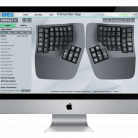
 

Advantage360 SmartSet Firmware (BETA v1.0.51)

Sept 7, 2022 Release Notes (Beta version 1.0.51)

Changes made to version 1.0.9

  • Adds support for using the left module on a stand-alone basis when the foot pedal port is connected to a PC (Note: linking to right side is not supported in this mode).

Aug 23, 2022 Release Notes (version 1.0.9)

Changes made to version 1.0.5

  • Disabled non-functional Status Report Speed Adjustment Shortcut


©2024 KINESIS
advanced-floating-content-close-btn

Qualified EH&S Professionals
Get Your Free Sample